Architecture
SML uses a consistent layout structure built around sections, rows, and columns.
Each has a specific responsibility, making layouts easier to build, understand, and maintain. The structure is flexible, allowing developers to use only the elements a layout requires.

The layout structure
Most layouts in SML start with a section. Content can be placed directly inside it or organized further using rows and columns.
Sections and containers
Sections define the main areas of a page.
Every SML section includes a container that controls the maximum width of its content. The section itself manages the surrounding spacing.
Because the container is part of the section component, there's no need to add a separate container manually.
Rows
Rows control how elements are arranged within a layout.
By default, a row arranges its children horizontally. Using its component properties, you can change the direction to vertical, adjust alignment and justification, or control the spacing between elements.
Rows can contain columns, other components, or regular content elements.
Columns
Columns are used when elements need specific widths across different screen sizes.
Their component properties allow you to define how much space a column occupies on desktop, tablet, and mobile.
This makes it possible to create responsive layouts without assigning additional classes or manually adjusting widths at each breakpoint.
Choosing the right structure
A section containing a single heading might not require a row or column. Two buttons displayed next to each other might only need a row, while a layout with text alongside an image will generally use all three structural components.
For example, a two-column content section could look like this:
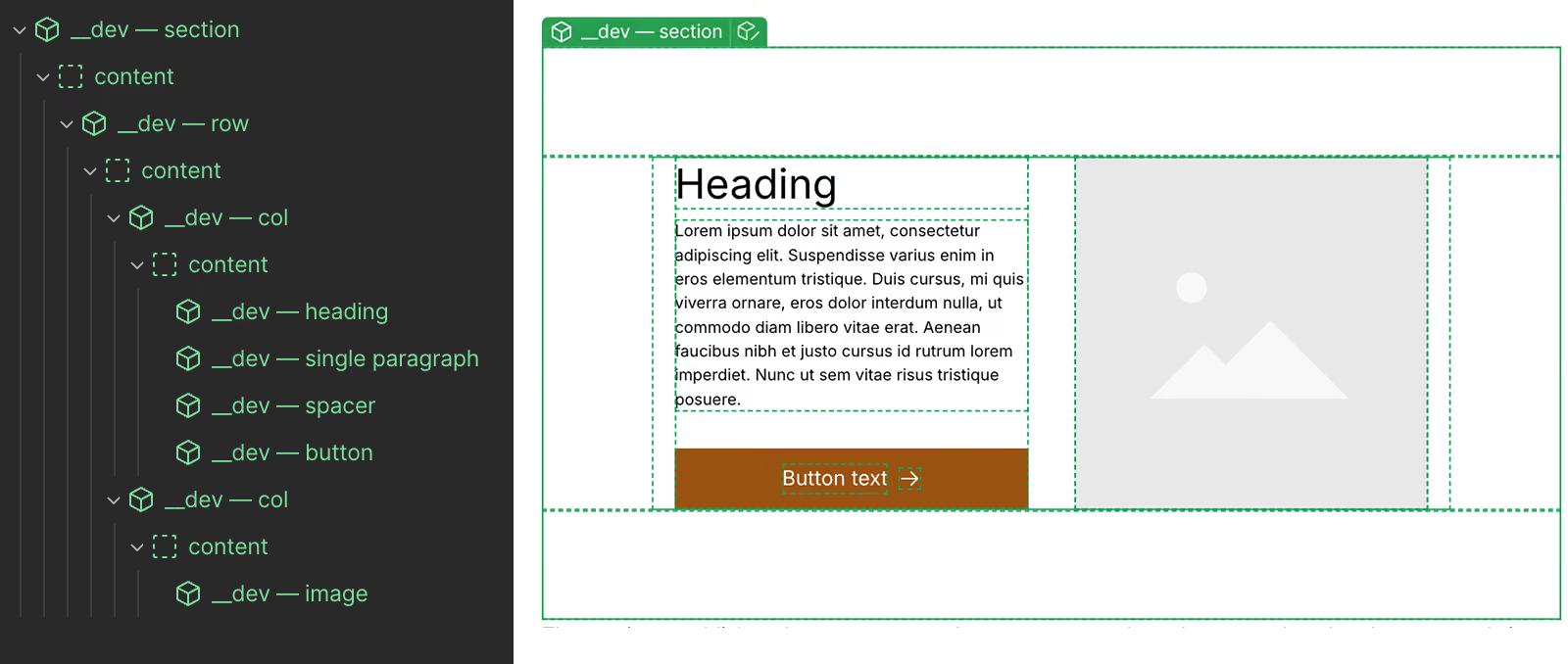
The section establishes the content area, the row arranges the columns, and each column controls its responsive width.
A title section could contain a heading and paragraph directly:
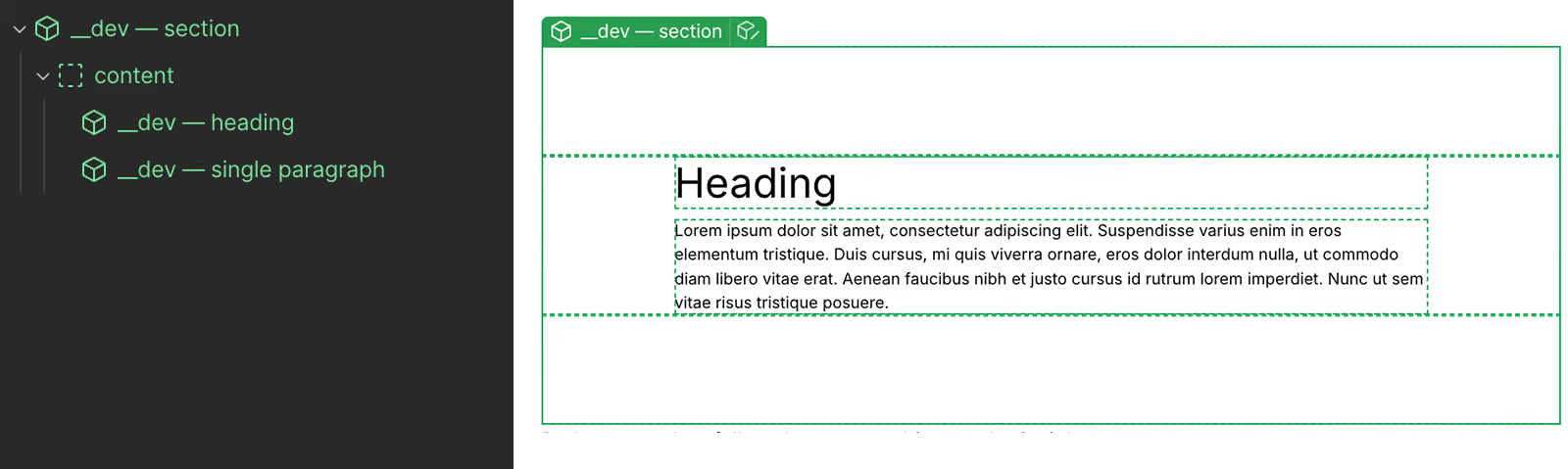
Both approaches follow the same architectural principles.
Properties and default behavior
SML components expose their available settings through Webflow component properties.
Each property has a predefined default value, allowing components to work without requiring every setting to be configured manually.
SML uses data attributes to communicate certain property values to CSS, which applies the corresponding styling. These attributes are only added when a property differs from its default value.
For example, a row is horizontal by default. With no changes to its properties, the HTML looks like this:
<div class="row">
Changing its direction to vertical adds the corresponding data attribute:
<div class="row" data-sml-flex-direction="vertical">
This keeps the generated HTML clean, even when components offer a large number of configuration options.
